
Midco Sports Plus
MidcoSports
2.637.00 Reviews
- Version
- 2.0.1
- Installs
- 50.00K
- Age Rating
- Everyone
Screenshots
Our Review of Midco Sports Plus
 Analysis by Appyee
I’d first approach Midco Sports Plus as a regional sports destination, not as a universal replacement for every sports-streaming service. That distinction matters. If the teams and conferences you care about are covered, it may be a useful place to check for a game; if you follow leagues from all over, a broader service may fit your routine better. I’d start by looking for a specific team or event rather than assuming the app will carry every matchup I want.
Where a game-day setup can get stuck
Live viewing has more moving parts than browsing a regular app: the event has to be available, the connection needs to hold up, and the phone or tablet has to be ready when play starts. I wouldn’t treat a blank or slow-loading stream as proof that the whole service is broken. First, I’d return to the event listing and check that I opened the intended game, then close and reopen the app if the page seems stuck.
It also helps to avoid leaving the first setup until tipoff or kickoff. I’d install the app and explore its screens ahead of time, while there’s no pressure to catch a particular moment. That gives me a chance to see how the available content is presented and whether the events I expect to watch appear. The practical benefit is simple: on game day, I can spend less time learning the interface and more time getting to the match.
Small checks before pressing play
Before blaming the stream, I’d check the basics: whether the device has a stable internet connection, whether other apps can load normally, and whether Midco Sports Plus is up to date. The current version is 1.99.4, and Android support starts at 5.0. Those details are useful when deciding whether an older device may be part of the problem, but they don’t guarantee that every device or connection will behave the same way.
If video struggles, I’d try moving closer to a reliable Wi-Fi connection or switching to a steadier network when available. I’d also pause downloads or other heavy activity on the same connection, since live video has little patience for an unstable stream of data. These are ordinary troubleshooting steps, not a promise that they will fix every interruption; they’re simply the quickest way I know to separate a home-network problem from an app problem.
Getting back to the game after an interruption
If playback stops, I’d give the stream a moment, then back out to the event and try opening it again. If that doesn’t help, fully closing and relaunching the app is a reasonable next step. I’d avoid repeatedly tapping play in a hurry: that can make it harder to tell whether the screen is responding or still loading. A calm retry, followed by a connection check, is usually a better workflow than changing several settings at once.
For a match I don’t want to miss, I’d also keep a simple backup plan. That might mean checking whether the event is available through another legitimate viewing option, or following a live score until the stream returns. This is one trade-off with a service built around regional coverage: it can be especially relevant for its intended audience, but it isn’t a guarantee that a particular event will be accessible in every situation or on every connection.
When the problem may be outside the app
Sometimes the cause is the device, the network, or the event’s availability rather than the app interface itself. If other video services are struggling too, I’d look at the connection before reinstalling anything. If everything else works but one event does not, I’d revisit the event page and confirm I have selected the right listing. If the issue keeps happening across sessions, that’s the point when I’d seek current help from Midco rather than guessing at a fix.
There’s also a difference between an app being free to install and every part of using a streaming service having no cost. Midco Sports Plus is free to download, but in-app purchases are listed from $9.99 to $199.99 per item. I’d check the purchase details shown in the app before committing to anything, especially if I’m only interested in a single game or a short stretch of the season. The app is rated for Everyone, and Midco is the developer.
First Impressions and Interface
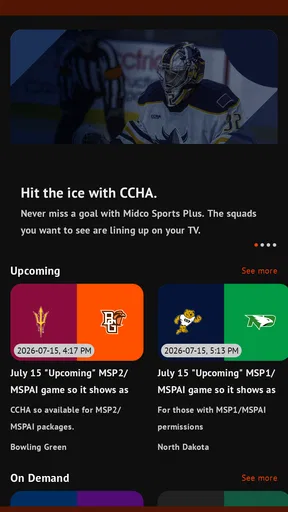
Upon launching Midco Sports Plus, the first thing that hits you is its sleek and intuitive interface. It's like walking into a well-organized sports bar, where everything you need is just a glance away. The colors are vibrant, and the layout is user-friendly, making navigation a breeze even for the less tech-savvy among us.
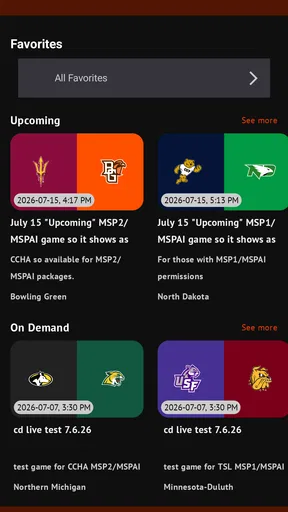
The app's home screen is uncluttered, featuring the latest games and events. As someone who hates spending time hunting for content, this is a huge plus. You can easily spot what’s live, upcoming, or available on-demand, thanks to the neatly arranged categories. A couple of taps, and you're right in the middle of the action.
Content Variety
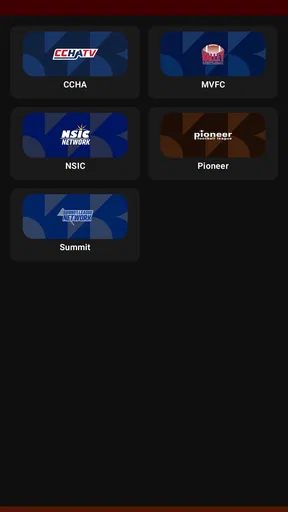
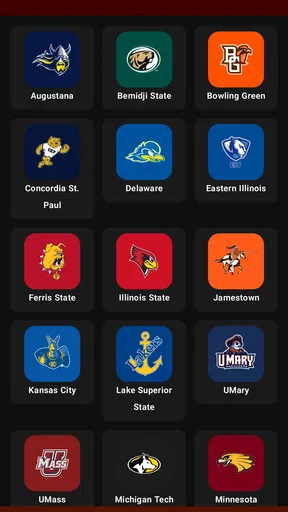
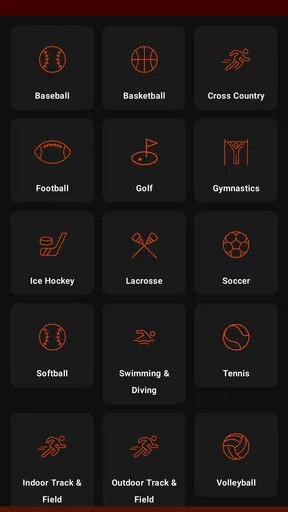
One of the standout features of Midco Sports Plus is its extensive range of sports content. Whether you're into basketball, football, hockey, or a niche sport, there's something here for you. The app covers local, regional, and national sports, ensuring you never miss out on the games that matter most to you.
What I particularly love is the inclusion of local high school games. It’s a unique touch that brings a community feel to the app, letting you cheer for your local heroes. Plus, the app’s commitment to providing high-quality streams means you get to enjoy the games without frustrating lags or buffering.
Features That Stand Out
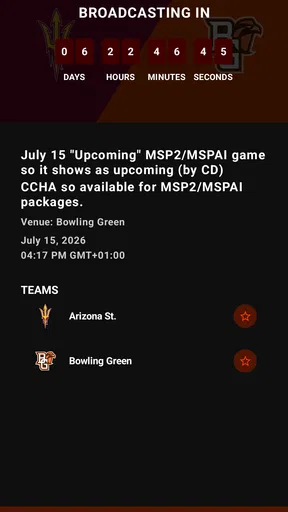
Midco Sports Plus doesn’t stop at just offering a variety of content; it packs in some nifty features that enhance the viewing experience. For starters, the app allows you to set reminders for games, which is a lifesaver if you’re as forgetful as I am. No more missing the first quarter because you lost track of time!
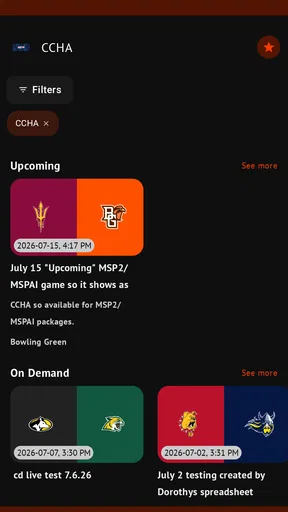
Another feature worth mentioning is the ability to personalize your feed. You can follow specific teams and sports, ensuring that your homepage is tailored to your interests. This customization adds a personal touch, making the app feel like it’s built just for you.
Performance and User Experience
Now, let's talk about performance. In my experience, the app runs smoothly, with minimal hiccups. The video quality is impressive, offering crystal clear streams that make you feel like you’re right there in the stadium. Even during peak times, I didn't encounter any significant streaming issues, which is a testament to the app's robust infrastructure.
On the user experience front, the app is a winner. The developers clearly understand the importance of a seamless experience, and it shows. From quick load times to an intuitive design, every aspect of the app is geared towards making your sports viewing as enjoyable as possible.
Availability and Accessibility
Midco Sports Plus is available on both Android and iOS, making it accessible to a wide audience. The installation process is straightforward, and once you're in, you're greeted with a quick tutorial that gets you up to speed in no time.
Moreover, the app supports multiple devices, so you can switch from your phone to your tablet without skipping a beat. This cross-device compatibility ensures that you can catch your favorite games, no matter where you are or what device you have at hand.
Using it in a real sports routine
The best fit I see is the fan who follows a handful of regional teams and wants a simple way to check what’s on without building a whole evening around a national sports package. For example, if I’m cooking dinner while a local game is due to start, I can check the schedule beforehand, set a reminder, and come back when I’m ready to watch. That makes the reminder more than a novelty: it helps when the game matters but isn’t the only thing happening that day.
Personalizing the feed can also make a difference when a household follows different teams. I’d use it to keep the teams I care about easier to find, rather than scrolling through unrelated events each time. The trade-off is that this organization is most useful only after I know which teams and sports I want to follow. If I’m browsing for an unfamiliar sport or hoping for a broad, algorithm-driven discovery experience, a larger general sports platform may give me more to explore.
How it compares with broader sports apps
Compared with a general live-TV or national sports service, Midco Sports Plus makes more sense as a focused companion than an all-purpose sports hub. A broad service may be a better choice if I want a single place for major leagues, unrelated channels, and a wide mix of national events. Midco’s appeal is the possibility of following regional action and local teams that can be easy to overlook in a large, crowded catalog.
I’d make the choice based on the actual calendar I watch, not on the number of sports listed in an app. If most of my viewing is centered on teams and conferences served by Midco Sports, a more focused app may save time. If my interests change from one national league to another every week, I’d compare the event availability and purchase terms before relying on it as my main option. Its free download lowers the barrier to trying it, but the listed in-app purchase range means I’d still review what a purchase covers before paying.
Who should try it, and who may prefer something else
I’d recommend giving it a look if regional games are a regular part of your week, you value a feed centered on selected teams, or you want to keep an eye on local high school sports. It may also suit someone who usually watches on a phone or tablet and wants to check event listings while away from the television. The app is a sports app from Midco, with a 2.4 average from 70 ratings and 10K+ installs; that modest rating is a reason to try it with realistic expectations rather than assume every experience will be smooth.
I’d be more cautious if I need dependable access to a particular game before confirming it appears in the app, or if I expect one subscription or download to cover every sport I follow. Someone who dislikes troubleshooting live video should test the app well before an important match. Its release date is Nov 17, 2020, and the current version is 1.99.4; for me, those details are less important than whether the app works on my device and whether the games I care about are actually available.
Final Thoughts
In conclusion, Midco Sports Plus is a solid app for any sports aficionado. Its user-friendly interface, diverse content, and impressive features make it a must-have for anyone looking to stay on top of their sports game. While no app is perfect, this one comes pretty close, offering a comprehensive sports viewing experience that's hard to beat.
If you're still on the fence, I’d say give it a shot. It's free to download, and you might just find that it's exactly what you've been looking for. Whether you're a die-hard sports fan or just someone who enjoys catching a game now and then, Midco Sports Plus has something for everyone. Happy viewing!
Verdict
Strengths of Midco Sports Plus
- High-quality live streaming for sports events.
- User-friendly interface with easy navigation.
- Wide variety of local and regional sports coverage.
- Supports multiple devices for versatile viewing.
- Regular updates with new features and improvements.
Limitations of Midco Sports Plus
- Limited availability outside certain regions.
- Subscription required for full access.
- Some events may have broadcast delays.
- Occasional buffering during peak times.
- Limited on-demand content compared to competitors.
Similar Picks in This Category
View All
BeSoccer: Soccer Live Score
BeSoccer apps4.3

Cricbuzz - Live Cricket Scores
Cricbuzz.com3.7

NFL
NFL Enterprises LLC2.4

Da Fit
MO YOUNG LIMITED3.6

ESPN
Disney4.5

LiveScore: Live Sports Scores
LiveScore Limited4.5
Frequently Asked Questions
What is Midco Sports Plus and what does it offer?
Midco Sports Plus is a streaming service dedicated to providing live sports coverage, replays, and original programming. It focuses on regional sports content, including college and high school games. Subscribers can access a variety of sports such as basketball, football, and hockey, making it a comprehensive choice for sports enthusiasts looking for localized content.
On which devices can I use Midco Sports Plus?
Midco Sports Plus is compatible with a wide range of devices, including smartphones and tablets running Android and iOS, as well as smart TVs and streaming devices like Roku, Apple TV, and Amazon Fire TV. This versatility allows users to enjoy their favorite sports content on multiple platforms, ensuring flexibility and convenience.
Is there a free trial available for Midco Sports Plus?
Yes, Midco Sports Plus typically offers a free trial period for new users. This trial allows potential subscribers to explore the service and evaluate its content and features before committing to a paid subscription. The trial period may vary, so it’s advisable to check the official website for current offers and details.
How much does a subscription to Midco Sports Plus cost?
The subscription cost for Midco Sports Plus is competitive, with a monthly fee that provides access to its full range of content. Prices may vary based on promotions or regional availability, so prospective users should visit the Midco Sports Plus website for the most accurate and up-to-date pricing information.
Can I watch Midco Sports Plus content offline?
Currently, Midco Sports Plus does not support offline viewing. All content is streamed live or on-demand, requiring an active internet connection. This ensures that users have access to the latest broadcasts and updates, although it may be a limitation for those looking to view content without internet access.
